New Feature Announcement – Viewing your Log Files

Quick Answer
DuoCircle account administrators can view real-time message logs for Email Gateway, Email Forwarding, Email Backup, and Outbound SMTP through the customer portal. The logs surface every message processed by the service so admins can verify delivery, trace bounces, and debug routing issues without contacting support. Setup steps and screenshots are documented in the support knowledge base.
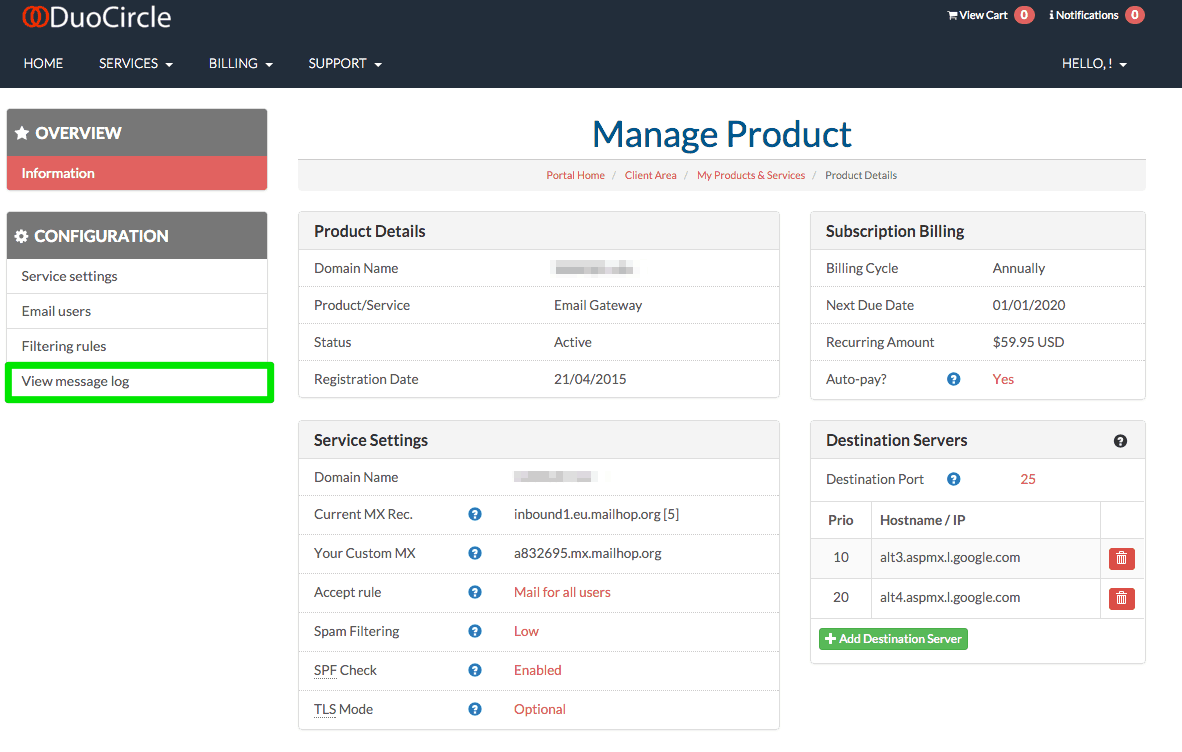
View Your Message Logs in Real Time
As part of our platform upgrade we are now providing access to your message logs for Email Gateway, Email Forwarding, Email Backup and Outbound SMTP
This allow the account administrator the tools and insight to verify the service is working as intended or to debug message delivery issues. By allow a greater level of transparency for our customers you’ll be able to review the logs for their mail that is being processed by our service.
Learn how to view your log files by reading our Knowledge Base Article
https://support.duocircle.com/solution/articles/5000700321-how-do-i-view-my-message-logs
General Manager
General Manager at DuoCircle. Product strategy and commercial lead across the email security portfolio.
Secure your email infrastructure
Protect, authenticate, and deliver. Contact our team to find the right solution.