Enforcing DMARC policies on incoming emails in Amazon WorkMail

Quick Answer
Amazon WorkMail can enforce DMARC on incoming messages; new WorkMail organizations have it on by default. To enable enforcement: open the WorkMail console at console.aws.amazon.com/workmail, select the right AWS Region, choose Organizations > your organization > Organization settings, open the DMARC tab, click Edit, slide DMARC enforcement to ON, acknowledge that some inbound mail may be dropped or quarantined based on the sender's domain configuration, and Save. To disable, repeat and slide to OFF. Because misconfigured sender domains can cause legitimate mail to be filtered, enable email event logging in WorkMail to monitor DMARC results. To inspect: open CloudWatch Insights, go to Logs > Insights, select the WorkMail log group (e.g., /aws/workmail/events/organization-alias), choose a time window, and run the query 'stats count() by event.dmarcPolicy | filter event.dmarcVerdict == "FAIL"' to see DMARC failures by policy.
Enforcing DMARC policies on incoming emails in Amazon WorkMail

Email domains use DNS to secure communications from eavesdroppers. They aim at preventing phishing, spoofing, ransomware, and impersonation attacks. DNS records also include a DMARC record, which is implemented and configured by the owner of the specific domain with the intention of allowing only authorized entities to send emails from that domain. A DMARC record consists of DMARC policies that instruct the receiving server on how to deal with unauthorized emails sent from your domain. By unauthorized emails, we mean outgoing emails from your domain that didn’t pass the DMARC checks.
New Amazon WorkMail organizations have DMARC enforcement turned on by default.
Here’s how you can enable DMARC enforcement-
- Open the Amazon WorkMail console at https://console.aws.amazon.com/workmail/.
- If needed, select a different AWS Region by opening the Region selection list at the top of the console, and choose your desired Region. For further guidance, see ‘Regions and endpoints’ in the Amazon Web Services General Reference.
- In the navigation pane, select ‘Organizations,’ then click on your organization’s name.
- Go to ‘Organization settings’ in the navigation pane. The Organization settings page will open, showing several tabs.
- Select the ‘DMARC’ tab and click ‘Edit.’
- Switch the ‘DMARC enforcement’ slider to the ON position.
- Check the box acknowledging that enabling DMARC enforcement may lead to inbound emails being dropped or quarantined based on the sender’s domain configuration.
- Click ‘Save.’
To disable DMARC enforcement:
Repeat the steps above, but switch the DMARC enforcement slider to the OFF position.
Using email event logging to track DMARC enforcement
Here’s a clearer version of the instructions:
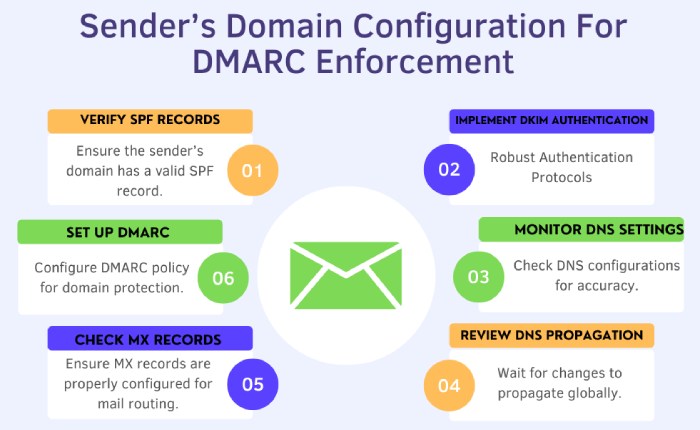
Enabling DMARC enforcement may cause some inbound emails to be blocked or marked as spam, depending on the sender’s domain configuration. If a sender’s domain is misconfigured, legitimate emails might be blocked. To monitor for such issues, enable email event logging in Amazon WorkMail. This allows you to query email logs to see if emails are being filtered out due to DMARC policies.
Steps to Track DMARC Enforcement with Email Event Logging
- ‘Enable email event logging’ in the Amazon WorkMail console and let it run for some time to collect data.
- Open the ‘CloudWatch Insights console’ and go to ‘Logs > Insights.’
- Under ‘Select log group(s)’ choose your Amazon WorkMail log group (e.g., `/aws/workmail/events/organization-alias`).
- Select a time period to review.
- Run the following query to find emails affected by DMARC: stats count() by event.dmarcPolicy | filter event.dmarcVerdict == “FAIL”
- Click ‘Run query’ to view the results.

Final words
DMARC has proven to be a game changer in this era where email-based cybercrimes are at their peak. We at DuoCircle help and guide you with email authentication so that cyber attackers don’t exploit your business and domain name. Book a demo with us.
Topics
General Manager
General Manager at DuoCircle. Product strategy and commercial lead across the email security portfolio.
Secure your email infrastructure
Protect, authenticate, and deliver. Contact our team to find the right solution.