Understanding everything about DMARC records and tags

Quick Answer
DMARC instructs receiving servers what to do with messages that fail SPF or DKIM alignment with the From domain. The record lives at _dmarc.yourdomain.com as a TXT record. Core tags: v=DMARC1 (version), p= (policy applied to the organizational domain: none, quarantine, or reject), sp= (policy for subdomains), pct= (percentage of failing mail subject to the policy), rua= (aggregate report destination), ruf= (forensic report destination), adkim= and aspf= (alignment strictness, r or s), and fo= (forensic options 0, 1, d, or s). DMARC works alongside SPF and DKIM: if either passes with alignment, DMARC passes. Domain owners typically start at p=none to gather reports, fix authentication for legitimate senders, then move to quarantine and reject.
Understanding everything about DMARC records and tags

Email security is a growing concern for businesses and individuals alike. Increased email spoofing and phishing attempts have made it crucial to implement security measures to safeguard communication channels. One such powerful tool to protect email communications is DMARC or Domain-based Message Authentication Reporting and Conformance. Its job is to authenticate email messages and take suitable action against unauthorized emails. The DMARC policy works in coordination with SPF (Sender Policy Framework) and DKIM (DomainKeys Identified Mail) protocols.
Suppose a threat actor attempts to send an illegitimate email from your domain ‘example.com.’ Since the server they used isn’t authorized, DMARC checks for the email will fail. DMARC empowers a domain owner to mention in their DMARC record what actions (none, quarantine, or reject) the receiving server should take on such emails sent from their domain.
This article aims to familiarize you with the intricacies of DMARC, its workings, policies, and how its tags play a crucial role in authentication.
How does DMARC work?
Here’s a simple breakdown of how DMARC works:
- Suppose an email is received by the receiving server from employee@example.com.
- The SPF protocol verifies that the sender server is authorized to send emails on behalf of example.com.
- Further, DKIM uses cryptographic signatures to validate the integrity of the received email. It ensures that no tampering has been done to that email while it was in transit.
- Next, DMARC ensures that the domain in the “From” header conforms with the domains verified by SPF and DKIM (in this case, it is example.com)
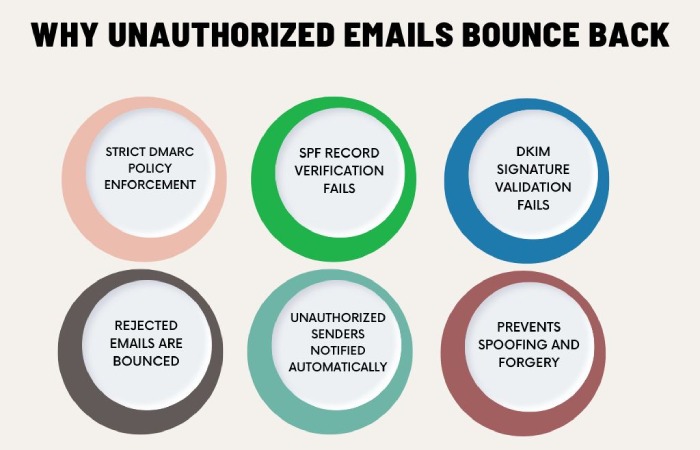
- In case the received email fails to pass SPF and/or DKIM protocols, DMARC marks it as unauthorized.
- In case the email fails DMARC, the receiving server takes action as per the instructions mentioned by the domain owner in the DMARC record.
- None instructs to take no action.
- Quarantine instructs to send it to spam.
- Reject instructs to bounce it back or outrightly reject its entry.
- The receiving server is required to send a feedback report to the domain owner mentioning the email traffic and authentication failures (if any).

What is a DMARC record?
A DMARC record is a DNS (Domain Name System) entry that instructs the receiving email servers on how to handle unauthorized emails that fail to pass the DMARC checks. A DMARC record is written in a specific format and is stored in your domain’s DNS settings. The record offers clear instructions around:
- The DMARC policy (None, Quarantine, Reject)
- Where to send feedback reports around authentication failure
Here’s an example of a DMARC record:
v=DMARC1; p=quarantine; rua=mailto:dmarc@example.com
What is a DMARC policy?
When you set up DMARC for your domain and enforce it, the receiving servers become aware of your domain instructions. They get to know whether you want the unauthorized emails to be rejected or quarantined. They use this information to take suitable action when receiving any email that fails to pass the DMARC check.
Below mentioned are the three policies that you can set in a DMARC record:
-
p= none
The ‘none’ policy means that the domain owner wants the receiving server to retain the failed emails as they are, get them delivered to the recipient’s inbox, and take no action whatsoever. The none policy is used mainly by new domains for monitoring purposes. The data acquired comes in handy when doing the initial DMARC setup.
p= quarantine
The quarantine policy indicates that the domain owner wants the recipient server to send unauthorized emails to the spam or junk folder. This policy helps strike a proper balance between security and user experience.
p= reject
This is the strictest of all three policies and requires the receiving server to reject the failed emails straightaway. The unauthorized emails are bounced back to the senders.
The choice of the policy a domain owner makes is completely based on the maturity of the email authentication setup. Initially, it is better to start with the none policy to get detailed data and insights. Eventually, domain owners can move from none to quarantine and then to reject.
DMARC tags
DMARC tags are different parameters within the DMARC record that are used for better customization and control. Each tag comes with a specific function. Let’s explore the most commonly used DMARC tags and their purposes:
- Version (v) tag: As the name suggests, this tag is used to represent the DMARC protocol version. For example, DMARC1.
- Policy (p) tag: It defines the policy that the domain owner wants the receiving server to follow (none, quarantine, reject).
- Report Email Addresses (rua) tag: This tag specifies the email address for aggregate reports.
Example: rua=mailto;reports@example.com
- Report Interval (ri) tag: This tag sets the interval for sending the aggregate reports.
- Report Email Addresses (ruf) tag: It guides the receiving server on where to send the feedback reports.
- Report Format (rf) tag: This tag helps determine the format of the forensic report.
- Forensic Reporting Options (fo) tag: This tag defines how the forensic reports will be created and presented to the domain owner.
- Subdomain Policy (sp) tag: This tag is used to specify the policy for subdomains.
- aspf tag: It specifies the alignment mode for SPF. It can be either in a relaxed or strict mode.
- adkim tag: It specifies the alignment mode for DKIM. In the case of relaxed mode, any subdomain of the “From” domain passes the DKIM check. In the case of strict mode, only the exact match of the “From” domain passes the DKIM check.
- Percentage (pct) tag: This tag specifies the exact percentage of emails to be filtered.
Setting up and managing DMARC can be complicated. That’s where DuoCircle steps in. Our team of experts at DuoCircle can walk you through the entire DMARC journey. We will be by your side at each step, from configuration to monitoring and optimization. DuoCircle will help you secure your domain, enhance email deliverability, and protect your brand image.
Get in touch with DuoCircle and take your first step towards safeguarding your email communication system.
General Manager
General Manager at DuoCircle. Product strategy and commercial lead across the email security portfolio.
Secure your email infrastructure
Protect, authenticate, and deliver. Contact our team to find the right solution.