Employee Business Travel Should Not Put Your Company at Risk

Quick Answer
Endpoint security protects devices on the corporate network but doesn't follow employees who check email while traveling. Mobile users are at higher risk: phishing attacks on mobile have grown roughly 85% per year since 2011, and mobile users are about three times more likely to fall for phishing than desktop users. Cloud-based email security extends the security perimeter by scanning every message at the security provider before delivering it to the client, regardless of device or location. Three capabilities matter for travelers: display name spoofing protection (mobile clients hide the From address and only show the From name, so attackers spoof display names; the protection checks the actual From address), domain name spoofing protection (catches lookalike domains where one or two letters are swapped, which is hard to spot on a small screen), and real-time link click protection (some phishing links turn malicious hours after delivery, so checking only at receive time isn't enough; rechecking on click closes that window).

Employees travel, that’s part of being in business. And when they travel, they’re going to check their email. There’s no reason that simple act should put your organization at risk, but for many companies, it does. That’s because of the safeguards they put in place, don’t always travel with the employees. But they should.
Companies tend to be very protective of their security perimeter, Most invest heavily in endpoint security to protect the corporate network. Any device plugged into the corporate network, including laptops, and even smartphones via WiFi, are protected. The problem occurs when the employees travel and use their devices beyond the security perimeter.
Endpoint security doesn’t apply to traveling employees who need some other form of protection. To make matters worse, mobile phones are more vulnerable to attack. According to an article on InfoSecurity Magazine website, “people are failing for phishing attacks on mobile which has increased by an average of 85% year on year since 2011. IBM also discovered that mobile users are three times more likely to fall for a phishing attack compared to desktop users.”
Travelling employees using mobile phones are not only more likely to fall for a phishing attack, but they also tend to have less safeguards in place. That’s why it’s important to extend the security perimeter to wherever employees travel, which includes internationally. How do you do that?
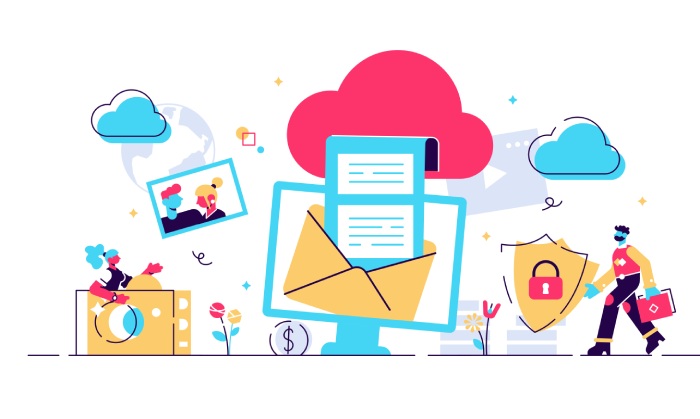
One way to do that is with cloud-based email security. With cloud-based email security, emails are routed first to the security provider where they are scanned for malicious content. Then, only after the email is deemed safe is it forward to the email client, no matter where that is, including on a mobile phone.
From a functional standpoint, cloud-based email security extends the security perimeter of an organization out to its mobile devices, thereby protecting travelling employees. When evaluating cloud-based email security services, there are three capabilities you want to make sure the solution includes:
Display name spoofing protection
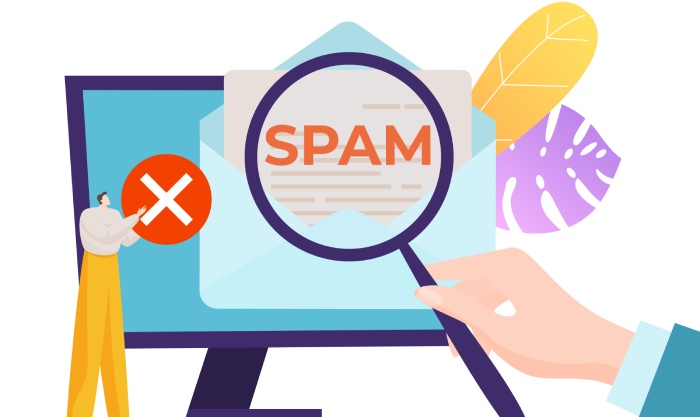
To save screen space, most mobile phones don’t display the “from address” in an email and only display the “from name”. Consequently, hackers often use display name spoofing to attack mobile users where the “from name” looks legitimate but the “from address” is fake. Display name spoofing protection prevents this type of attack because it checks the “from address.”
Domain name spoofing protection
Domain spoofing occurs when attackers use fake domains that look like real domains by replacing one or two letters in the domain. It’s hard enough to pick out a fake domain on a large screen. It’s almost impossible on a mobile phone. Domain name spoofing protection doesn’t get fooled by fake domains.
Real-time link click protection
Some phishing emails don’t turn threatening for several hours after the arrival. Email security that only checks emails upon arrival won’t protect against this. That’s why it’s important to get email security that checks the link when it’s clicked, whenever that is, no matter how often it’s clicked. Real-time link click protection does just that,
Employees travel, but there’s no reason that has to put your company at risk. You can get cloud-based email security with display name spoofing protection, domain name spoofing protection and real-time link click protection for just pennies a day per employee. Try DuoCircle’s services risk-free for 30 days.
General Manager
General Manager at DuoCircle. Product strategy and commercial lead across the email security portfolio.
Secure your email infrastructure
Protect, authenticate, and deliver. Contact our team to find the right solution.