How to Warm Up a New Sending IP Without Hurting Your Existing Domain Reputation

Quick Answer
Warming up a new sending IP involves gradually increasing email volume, sending to engaged recipients, and monitoring bounce rates, spam complaints, and deliverability. Proper IP warm-up builds sender reputation while protecting your existing domain reputation and ensuring consistent email delivery.
Why IP Warm-Up Matters for Domain Reputation
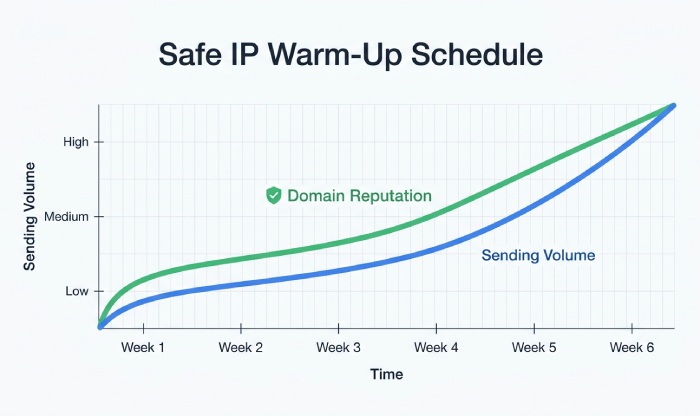
IP warmup is the process of gradually increasing email-sending volume from a new IP address. This controlled approach helps mailbox providers evaluate sending patterns and sender reputation over time. Starting with small volumes and engaged, opted-in recipients can help identify delivery issues early and reduce the risk of spam complaints and rejected messages.
Mailbox Providers Evaluate Behavior, Not Just Volume
Spam filters assess sender reputation, domain authentication, recipient behavior, and complaint rates. Gradually increasing email volume helps build trust by encouraging natural engagement, including opens, clicks, and replies, while keeping spam complaints low.
Poor Warm-Up Can Damage More Than the IP
A failed IP warmup does not only hurt the IP address reputation. Mailbox providers also connect sending behavior to your domain, tracking domain-level sender reputation and engagement. Sending large volumes to unengaged or invalid recipients can increase spam complaints, bounces, and blocking risks, potentially affecting both IP and domain reputation.
Pre-Warm-Up Checklist: Authentication, Segmentation, and Infrastructure Readiness
Confirm Email Authentication
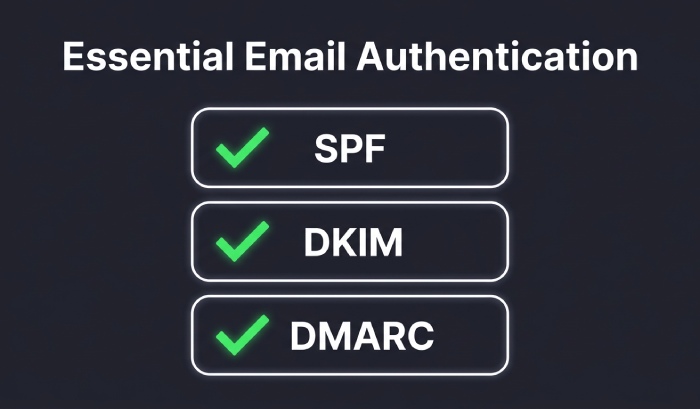
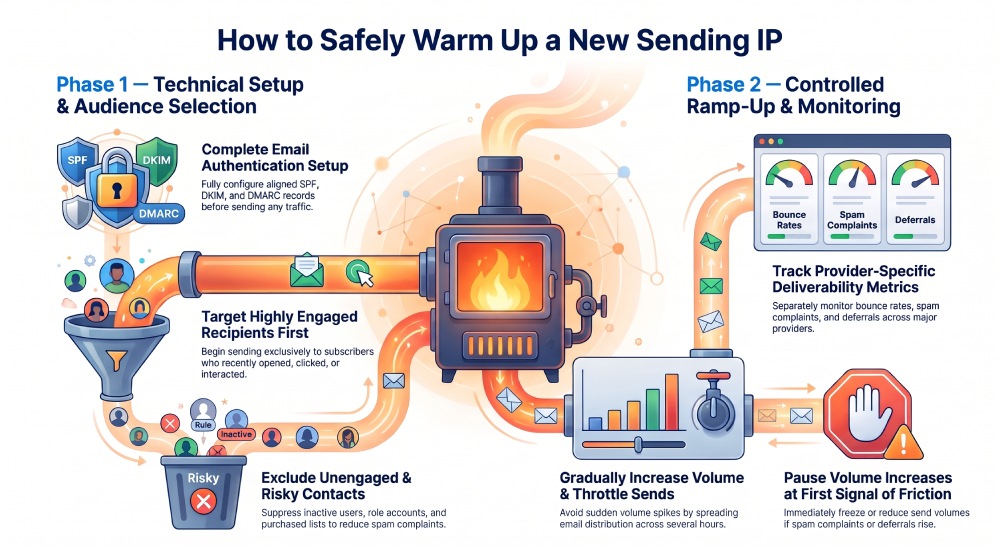
Strong email authentication is non-negotiable. Configure SPF, DKIM, and DMARC for the sending domain and ensure alignment with your envelope sender, visible From domain, and tracking domains.
SPF
SPF tells receiving systems which servers are authorized to send for your domain. If your mail server or ESP is not included, legitimate messages may fail authentication.
DKIM
DKIM signs messages cryptographically. Google, Microsoft, and Yahoo use DKIM as part of broader sender identity evaluation, especially during IP warmup.
DMARC
DMARC ties SPF and DKIM to domain alignment and policy. A properly configured DMARC record helps protect your brand while you warm up an IP address.
Segment Your List Before Sending
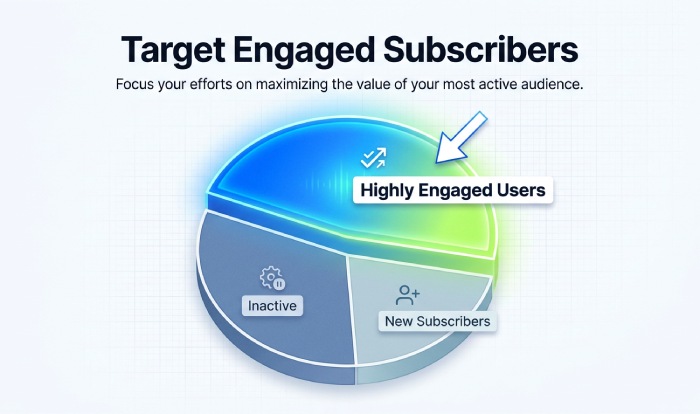
Good email list hygiene is essential. Start with an opt-in list of subscribers who recently opened, clicked, purchased, logged in, or replied. Suppress inactive addresses, old imports, role accounts, and risky contacts. Do not use cold emails for early IP warmup, because cold recipients are more likely to ignore, delete, or report your messages.
Providers such as DuoCircle support email deliverability, account warming, and infrastructure monitoring, but no tool can replace permission-based sending and sound email best practices.
Check Infrastructure Readiness
Confirm reverse DNS, HELO/EHLO identity, TLS, bounce processing, unsubscribe handling, suppression logic, and delivery tracking. Your Mail Server should process hard bounces quickly and stop sending to invalid recipients. Also verify that you can identify a deferral notice, because temporary blocks often appear before major reputation damage.
Building a Safe Sending Schedule: Volume, Frequency, and Ramp-Up Pace
Start Conservatively
When warming up a new sending IP, begin with a small group of recently engaged, opted-in recipients rather than your entire mailing list. The starting volume and pace of increases should depend on your sending history, expected email volume, list quality, and mailbox-provider responses. Avoid sudden spikes in sending activity.
An illustrative IP warmup approach may look like this:
- Initial stage: Send a limited volume to your most engaged recipients and monitor delivery performance.
- Early expansion: Increase volume gradually if spam complaints, hard bounces, and delivery deferrals remain under control.
- Continued ramp-up: Expand to additional engaged recipients in measured steps, checking performance across individual mailbox providers.
- Broader sending: Introduce other appropriate audience segments only when delivery performance remains stable and recipients have valid permission to receive your emails.
This is a flexible framework, not a fixed schedule. If complaints, bounces, or deferrals increase, pause further volume increases and investigate the cause before continuing.
Example Ramp-Up Principle
The point is not to hit a fixed number. The point is to gradually increase volume only when your metrics show that the new sending IP is accepted. If you see rising blocks, low engagement, or spam complaints, pause the ramp.
Use Throttling and Frequency Controls
Email throttling prevents sudden spikes that can alarm spam filters. Instead of pushing all messages at once, spread sends over several hours. This helps mailbox providers process traffic naturally and gives you time to react if delivery problems appear.
A proper IP warmup schedule should also account for frequency. Sending daily to the same recipients can fatigue them, reduce email engagement, and weaken sender reputation. For a major email marketing campaign, warm up gradually before the campaign launch rather than during the launch window.
Manual vs. Automated Warm-Up
Manual email warmup gives teams better control over audiences, content, and timing. Automated warmup can help manage sending activity, but genuine subscriber engagement, permission-based sending, and consistent email practices remain essential for building sender reputation.
Choosing the Right Audiences and Content During Warm-Up
Send to Engaged Users First
Always send to engaged users first: recent openers, clickers, purchasers, trial users, account holders, or subscribers who have interacted with previous campaigns. Strong open rates, healthy click-through rate, and solid reply rates tell mailbox providers that recipients value the mail.
Follow Email Content Best Practices
Use recognizable branding, a consistent From name, clear subject lines, and relevant offers. Email content best practices also include plain-language copy, balanced image-to-text ratio, accessible design, and a visible unsubscribe link.
Avoid Spammy Content
To avoid spammy content, do not use misleading subject lines, excessive punctuation, deceptive urgency, link shorteners, or attachment-heavy messages. Even if your authentication is correct, poor creative can harm email deliverability and trigger spam filters.
Do Not Begin With Risky Campaigns
Avoid starting warm-up with reactivation campaigns, purchased lists, sweepstakes, or aggressive sales promotions, as these can increase spam complaints and reduce engagement. Instead, prioritize relevant messages such as product updates, account notifications, helpful resources, or educational content that recipients have opted in to receive.
Monitoring Performance and Adjusting Before Reputation Damage Spreads
Watch the Core Metrics
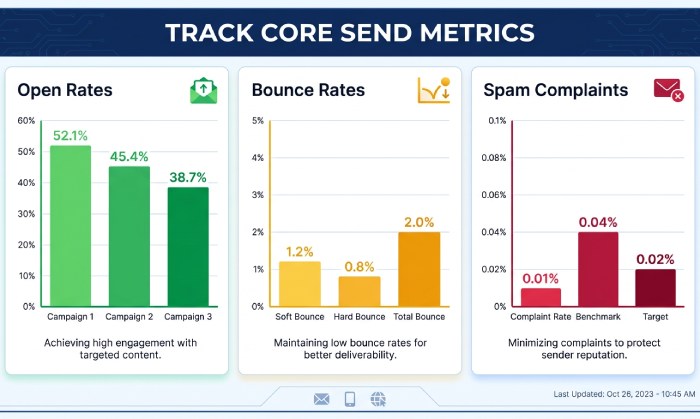
Track open rates, bounce rates, spam complaints, click activity, unsubscribes, delivery delays, and inbox placement by mailbox provider. Compare Gmail, Yahoo Mail, Microsoft, AOL, and corporate domains separately, because each provider may respond differently.
Respond Before Problems Escalate
If you see rising complaints, falling engagement, more deferrals, or provider-specific blocking, stop escalating send volume. Reduce volume, return to your most engaged segment, review list quality, and verify authentication. Continue to monitor complaint rates before resuming the ramp.
The safest approach is simple: gradually increase volume, send small quantities of email first, protect the domain’s sender reputation, and let mailbox providers see consistent evidence that your bulk emails are wanted. This is how you warm up an IP address while preserving long-term email deliverability for every future email marketing campaign.
Topics
General Manager
General Manager at DuoCircle. Product strategy and commercial lead across the email security portfolio.
Secure your email infrastructure
Protect, authenticate, and deliver. Contact our team to find the right solution.