Phishing Emails Just Became Even Harder to Spot with Invisible Text

Quick Answer
Attackers are using zero-font and Unicode soft-hyphen techniques to slip phishing emails past Secure Email Gateways. The earlier method inserted invisible characters between letters of trigger phrases like password expired or Office 365 so SEGs would not match keyword rules. SEGs adapted by detecting those zero-width characters. The counter-move uses the Unicode soft hyphen (U+00AD): every letter in the trigger phrase is separated by a soft hyphen, which renders as nothing in the email client but is a legitimate character the SEG sees and accepts, so the rule never fires. Awareness training cannot defend against this because users see clean text. Filtering needs to evaluate where embedded links actually point and quarantine messages whose destinations are unsafe, regardless of body content.

Let’s face it, hackers do whatever they can to get you to click on their link. And they have a lot of tools in their toolbox to get you to click. Everything from social engineering to display name spoofing to domain name spoofing. It’s all to get you to do one thing: click the link.
Now, they’ve come up with something that may be harder to defend yourself against: invisible text. To be sure, hackers have been using techniques similar to this for a while. According to an article on Dark Reading, “Attackers are continuously testing enterprise security systems and exploring new ways to get through. Some rely on hidden text and zero-font attacks, in which they put invisible characters between the letters of an email so it doesn’t trigger email defenses with phrases like “password expired” or “Office 365.” These malicious emails appear legitimate to any unsuspecting user.”
In response to this hidden text tactic, Secure Email Gateways (SEG) started looking for it so it could reject emails with these obviously hidden letters. And that worked for a while. But it wasn’t long before hackers had their own counter move: the soft hyphen.
Continuing from the article, “To get around that, the attackers have used the Unicode Soft Hyphen. To the user, it is all invisible. In a text editor, the soft hyphen appears as you’d expect, a hyphen. However, the text editor also shows that every letter is separated by a soft hyphen. What is important here is that the SEG also sees the soft hyphen. As such, the phrases are not flagged at all. It is this that is defeating the SEG and failing to mark the email as malicious.”
From Security Boulevard, “This type of phishing scam is nasty because the average person has no idea the capability to sneak in this type of code existed.”In other words, all the security awareness training in the world will not protect you from an exploit this sophisticated.
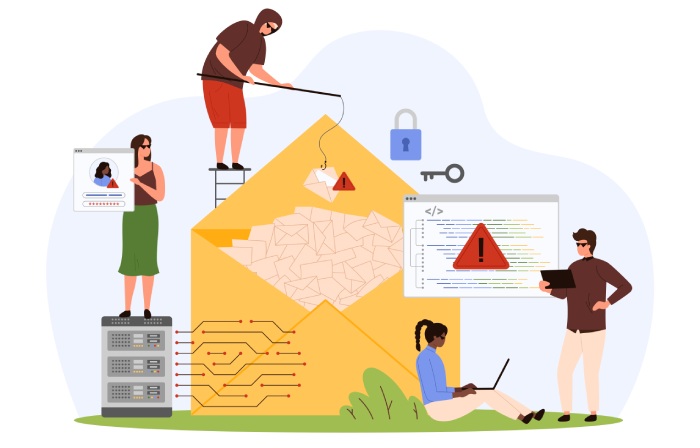
You’re going to need some help to protect your organization from an attack like this. Introducing a little help: Phishing Protection from DuoCircle. Phishing Protection works because it doesn’t care whether there are soft hyphens or not. The only thing it cares about is where the links point to and is that destination safe. And if it’s not, Phishing Protection quarantines the email, keeping it out of your inbox so you can’t click the link, which is the only thing the hackers want you to do.
Phishing Protection is cloud-based, so there’s nothing to buy, no maintenance and sets up in 10 minutes. It works with all major email services and only costs pennies per user per month. Try Phishing Protection for free for 60 days. Don’t let those clever hackers win.
General Manager
General Manager at DuoCircle. Product strategy and commercial lead across the email security portfolio.
Secure your email infrastructure
Protect, authenticate, and deliver. Contact our team to find the right solution.